Add income to your plan
Add your salary and any other income you have or expect, like a bonus, a side business, or a pension once you retire.
Add your salary
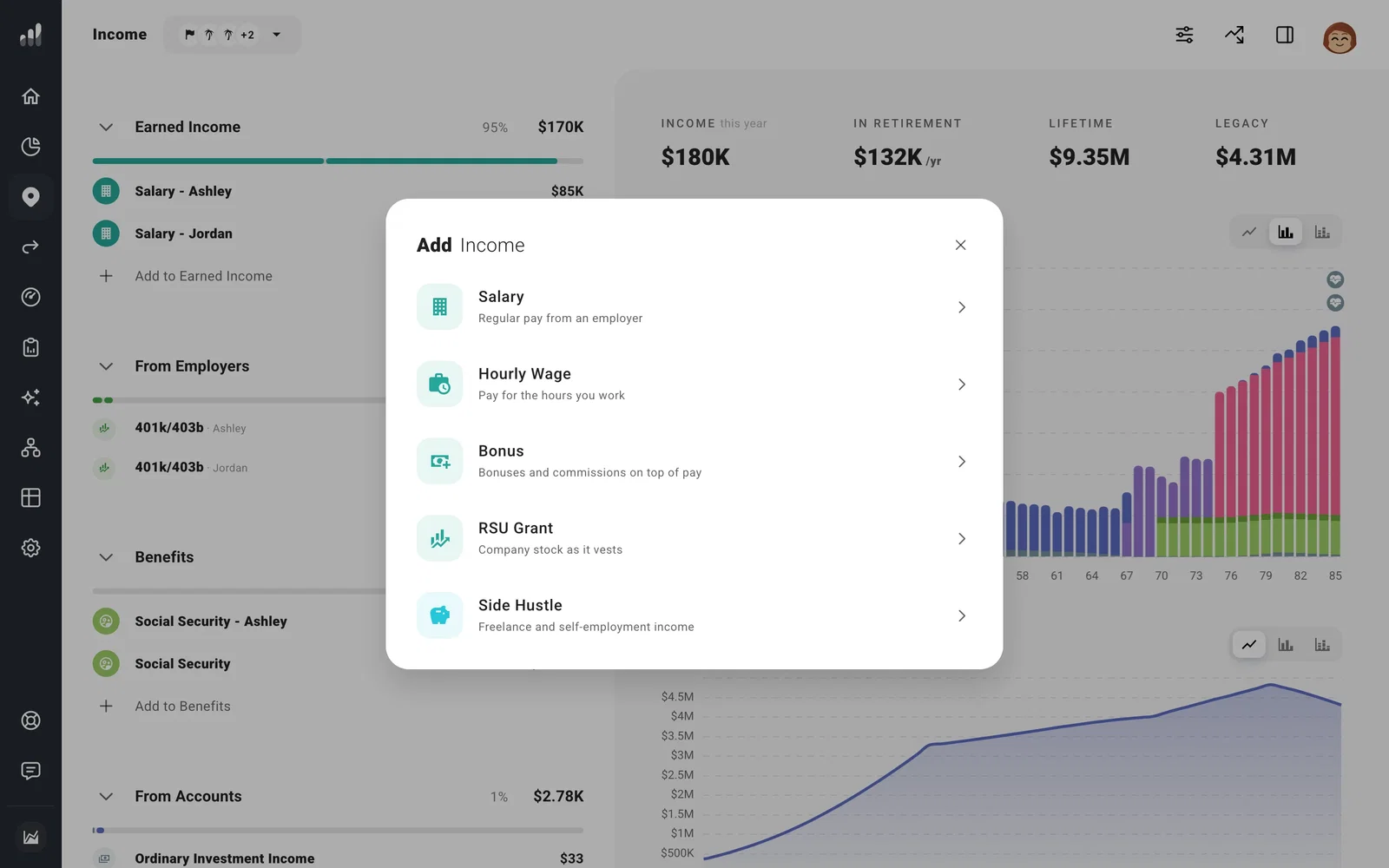
- Go to Plan > Income and select Add to Earned Income.
- Choose Salary, or Hourly Wage if you’re paid by the hour.
- Enter your gross pay (before taxes and paycheck deductions), choose who earns it, and select Add.
Your salary rises with inflation and stops when you retire. To end it at another time, like a planned job change, change its Time Range. If it stops sooner than you expected, look at the end date: Until stops before that date; Through includes it.
To include retirement contributions or an employer match, add them to the salary.
Raises
To plan raises above inflation, open Change Over Time and choose Match Inflation +X%. For a new job, add another salary that starts when the first one ends.
Cutting back to part-time
Open your salary, then turn on Part-Time Work under More Options. Set when it starts and ends, and the percentage of your full-time pay you’ll earn.
Other income
| If you have | Add it under |
|---|---|
| A bonus or commission | Earned Income > Bonus |
| Company stock that vests | Earned Income > RSU Grant. See Model RSU grants and vesting. |
| Freelance or business income | Earned Income > Side Hustle. See Model self-employment income. |
| Social Security or a pension | Benefits. See Add Social Security and other government benefits or Add pension or annuity income. |
| Rent from a property | On the property itself. See Model a rental property. |
| An inheritance or another one-time sum | Windfalls |
| A tax credit or deduction you expect | Adjustments |
| Anything else | Other Income > Custom Income |
How your income is taxed
Salary is taxed as wages and side income as self-employment income by default. Under Tax Handling, you can change how most income is taxed or mark it tax-exempt, including bonuses and inheritances. Pension and government benefits follow their own rules.
Withholding, also under Tax Handling, changes when tax comes out of your cash during the year, not how much you owe in the end.
Send income straight to an account
If a bonus goes into savings or a windfall pays off a loan, open the income and choose the account or debt under Send To.
